
With the basics of Microsoft Outlook, you can write emails efficiently and schedule meetings in the calendar. You learn the basics for keeping track of emails, appointments, contacts, and tasks.

55 min
Multimodal
Über 30 Sprachen
Teilnahmebescheinigung
Outlook is the control center of everyday office life, and yet many employees spend hours every day searching through overflowing inboxes and arranging appointments by email. Basic functions such as folders, categories, scheduling with availability checks, and tasks are rarely used. Anyone who masters them saves time every day.
00 Fundamentals and interface
01 Writing and managing emails
02 Calendar and meetings
03 Contacts and tasks
04 Security and email rules
05 Summary
06 Knowledge check incl. certificate of completion
All employees who are new to Microsoft Outlook or want to refresh their basic skills systematically.
Leading organizations trust Bridgly


.png)
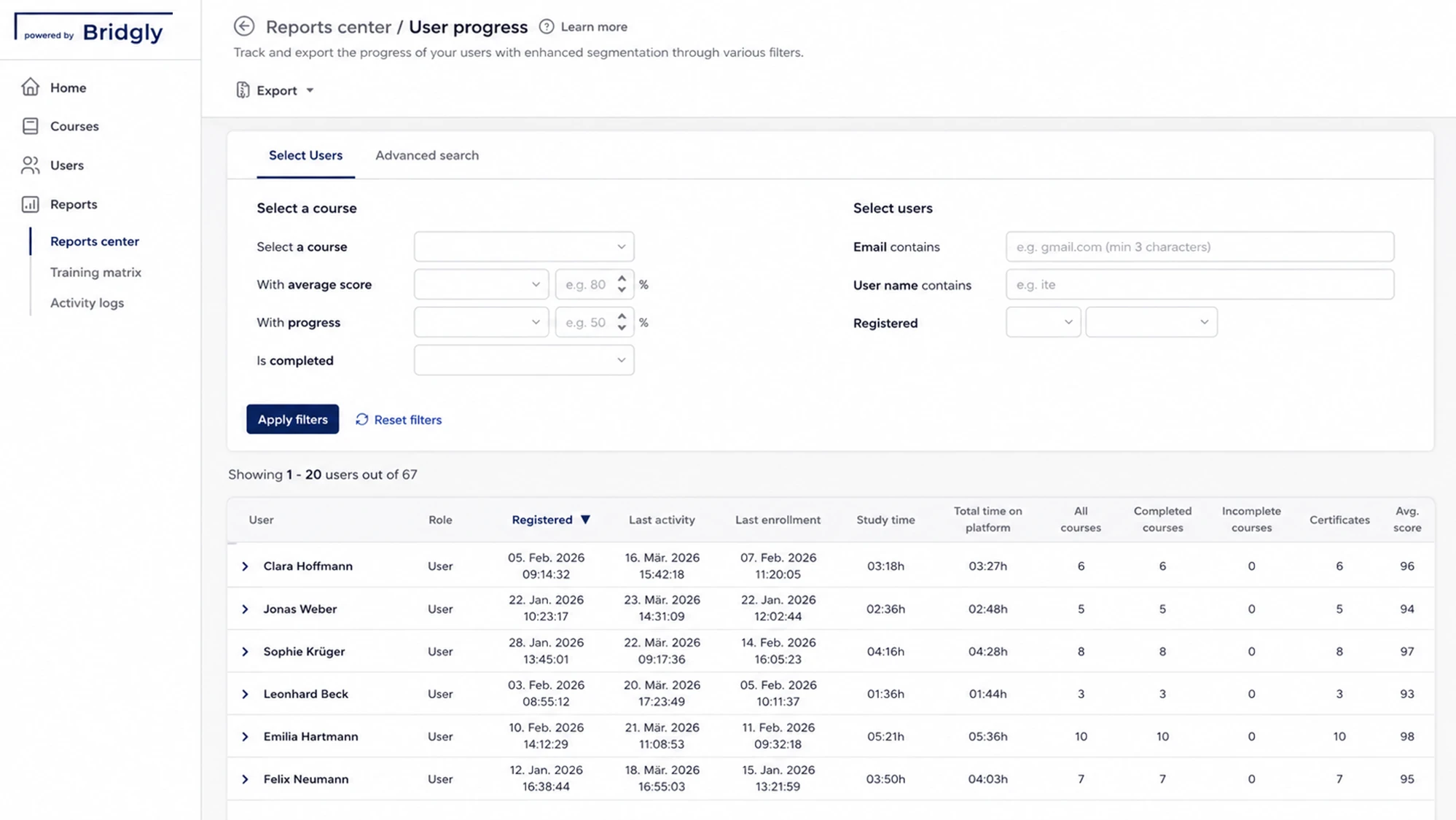
Our platform bundles all training management functions, from planning to reporting, in one place.
Training organization
Define who is trained on which content and when.
Training documentation
See at any time who completed which content and when.
Manage participants
CSV import, learning groups, and access rights in one place.
Automated
reminders
Deadlines and recurring training run automatically.
Here you will find the most important answers.
Training and professional development for companies and public-sector clients – with audit-proof documentation and a practical focus.
Get in touch now
Bridgly is the European training partner for audit-proof, tailored, and automated training and professional development.
 We support the IHK initiative "Pack ma's digital" to help businesses in Upper Bavaria with digitalisation and secure the future of the region.
Note: Some text, images, and videos on this website were generated using artificial intelligence.
All content is for informational purposes and has been carefully reviewed from a journalistic perspective, but does not claim to be exhaustive or legally binding.